
The game content of Hide N Seek: its releases are the packs servers load.
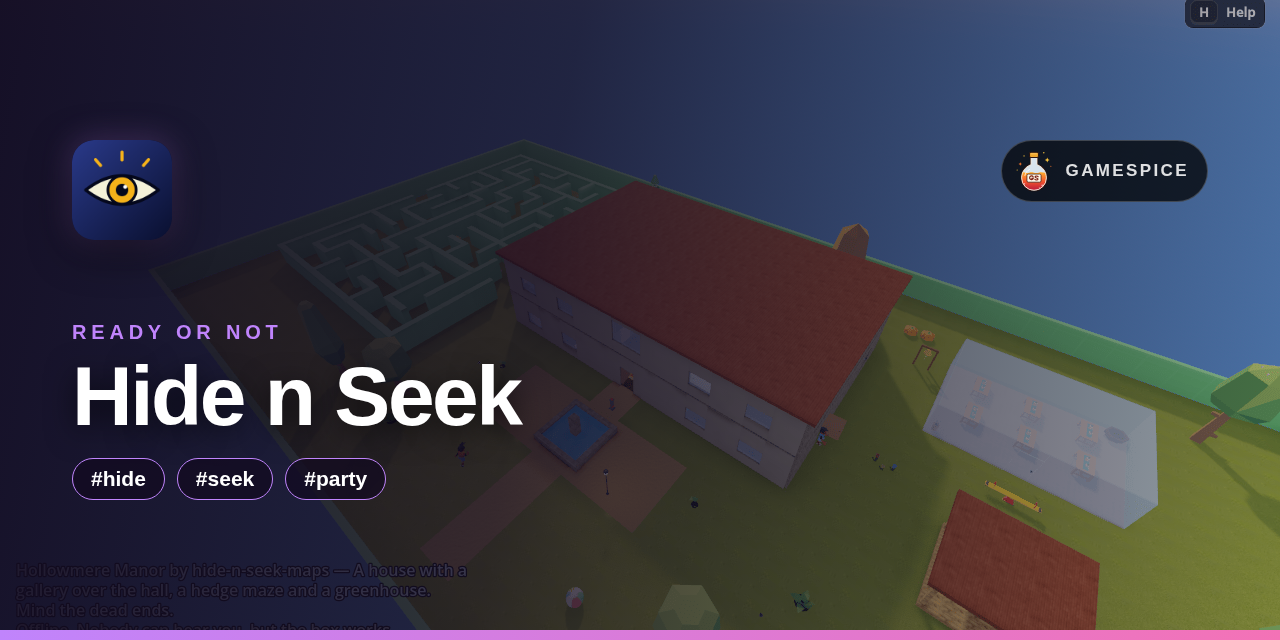
A multiplayer hide and seek game for Godot 4, built on the GameSpice platform and addon collection.
Most players are hiders: their own GameSpice avatars in a blue shirt. They get a little while to find a spot nobody will look. One or more seekers (orange) count with a black screen while everybody hides, then go looking. A seeker catches a hider by touching them, and every caught hider becomes a seeker too, so the hunt grows as the round goes on.
The project and its assets are open source under the MIT license. Only the back-end web infrastructure is not; if you use your own authentication back end instead of GameSpice, you build that part yourself.
Please treat this as partially tested. It was built with Claude Code and has a headless test suite that passes, but little of it has been in front of real players. Please report anything you run into.
Screenshots
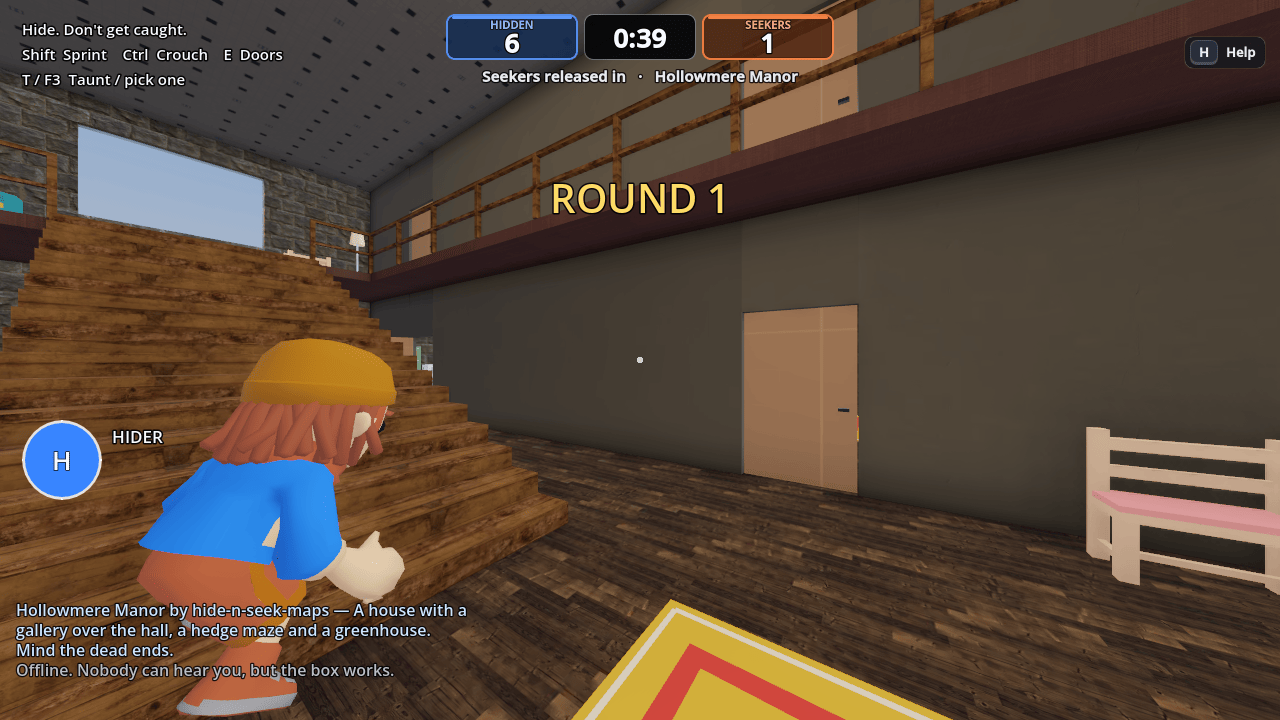 Hide phase: the hiders' countdown and round banner, seen as a hider in blue. |
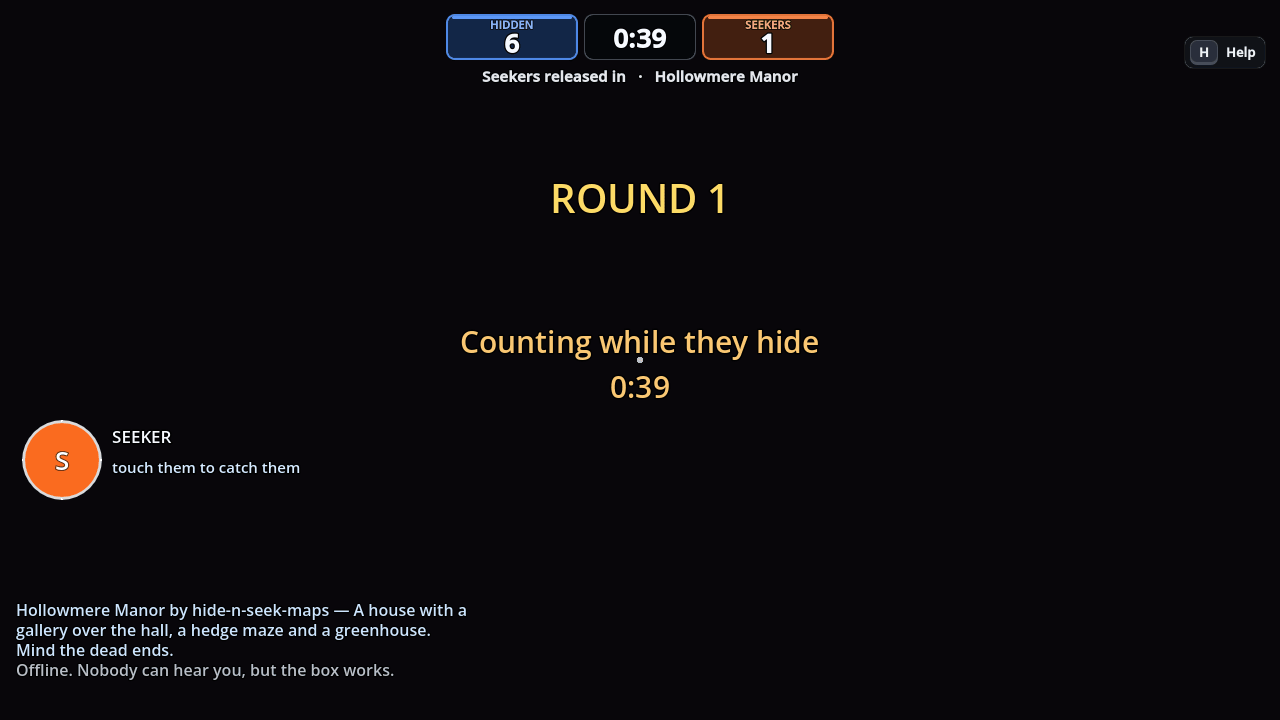 The seekers' black screen while the hiders hide, counting down. |
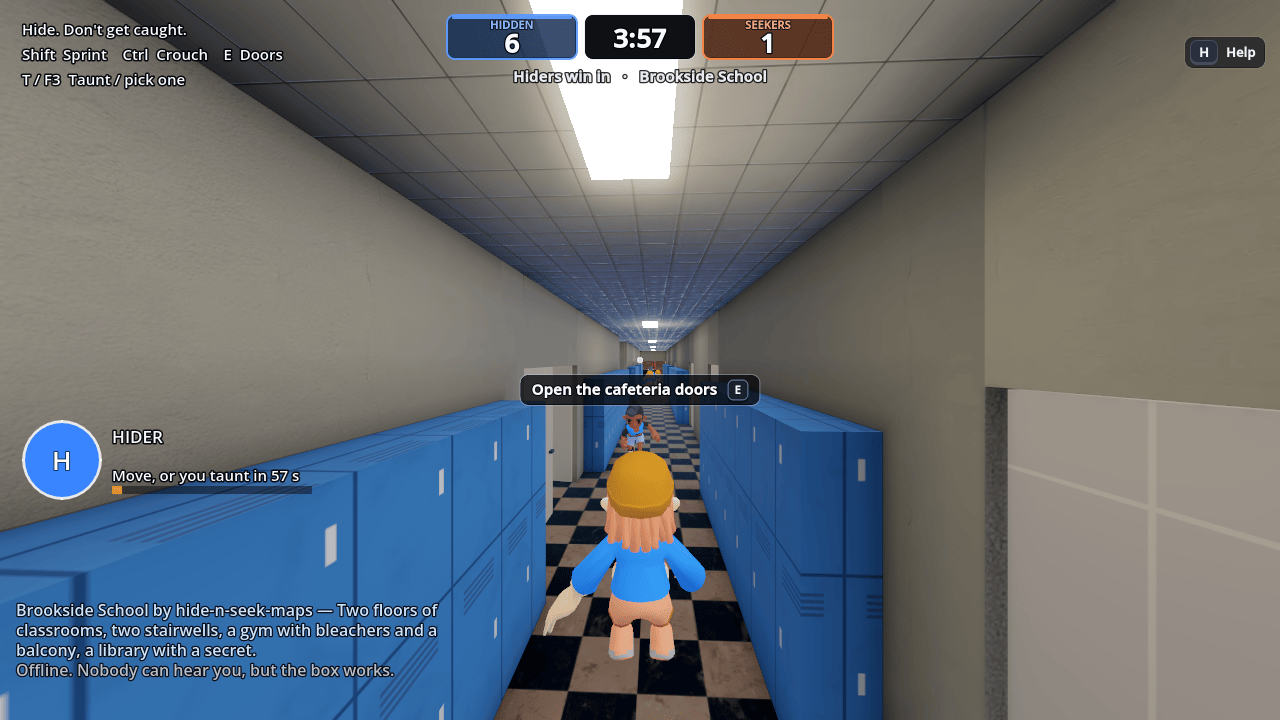 A hider in third person (F5) running a school corridor, with the door prompt. |
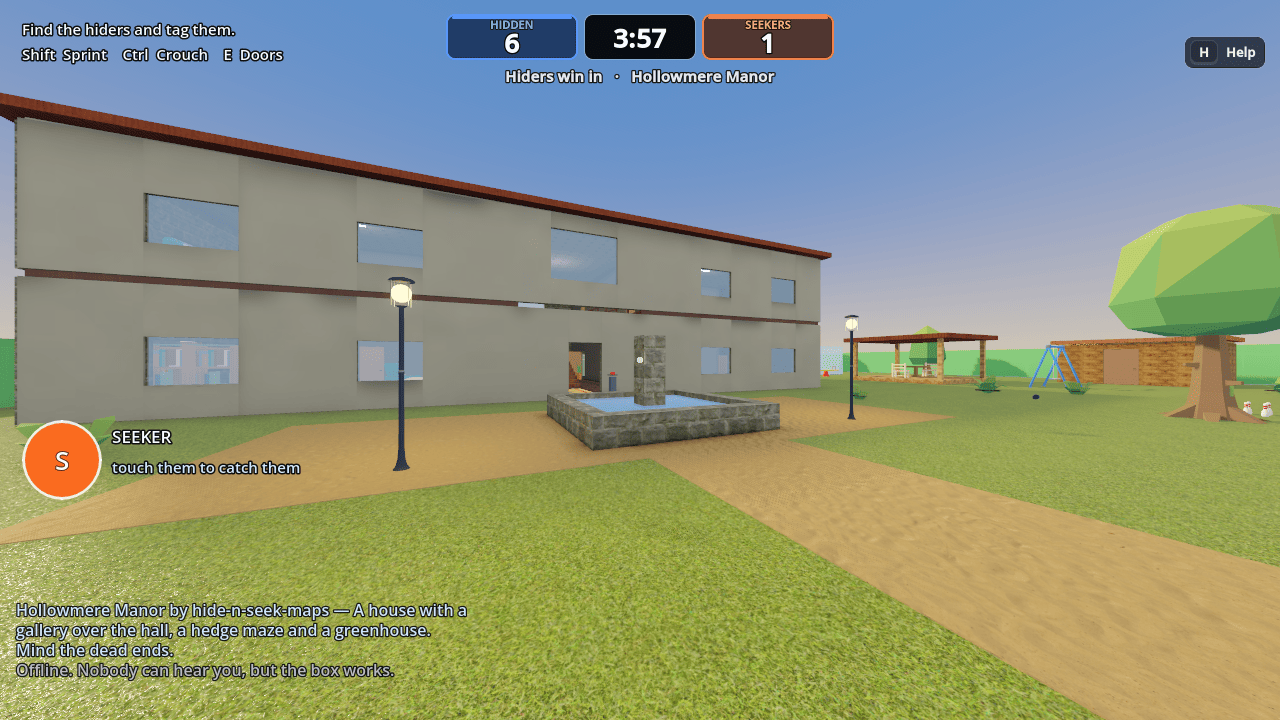 Seeker view during the hunt: hidden and seeker counts and the round clock. |
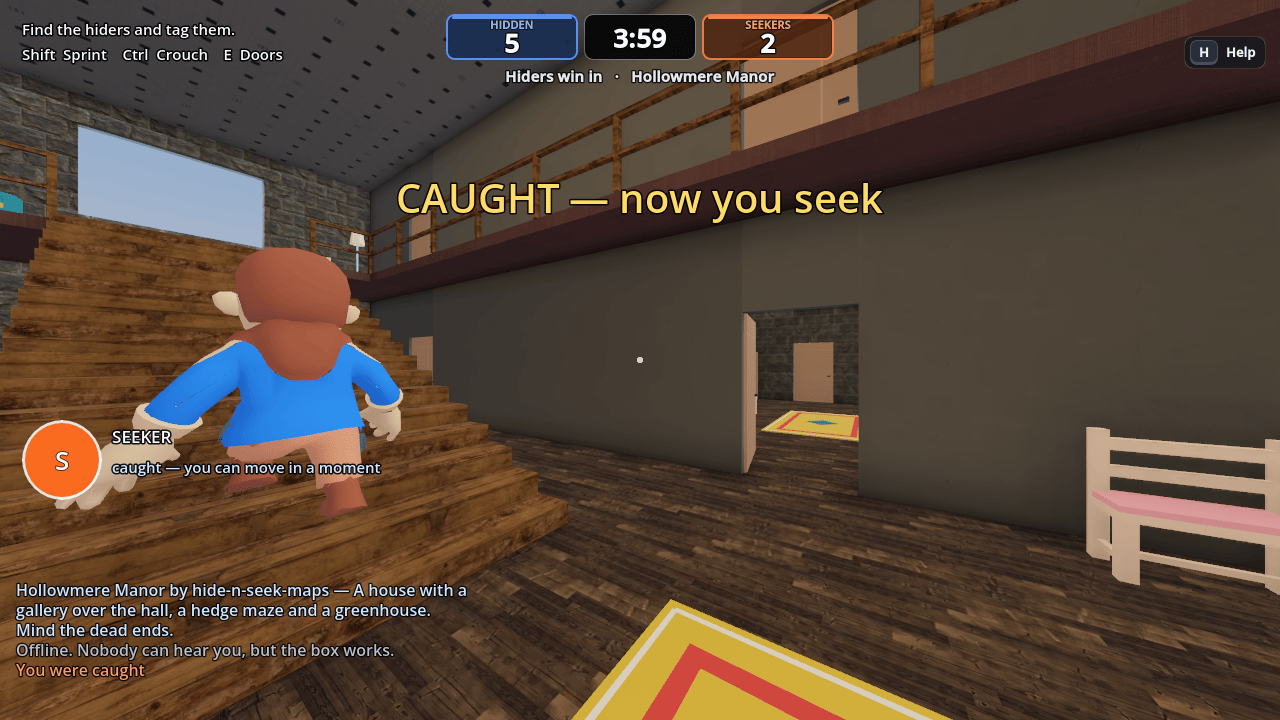 The moment of a catch: the caught hider becomes a seeker. |
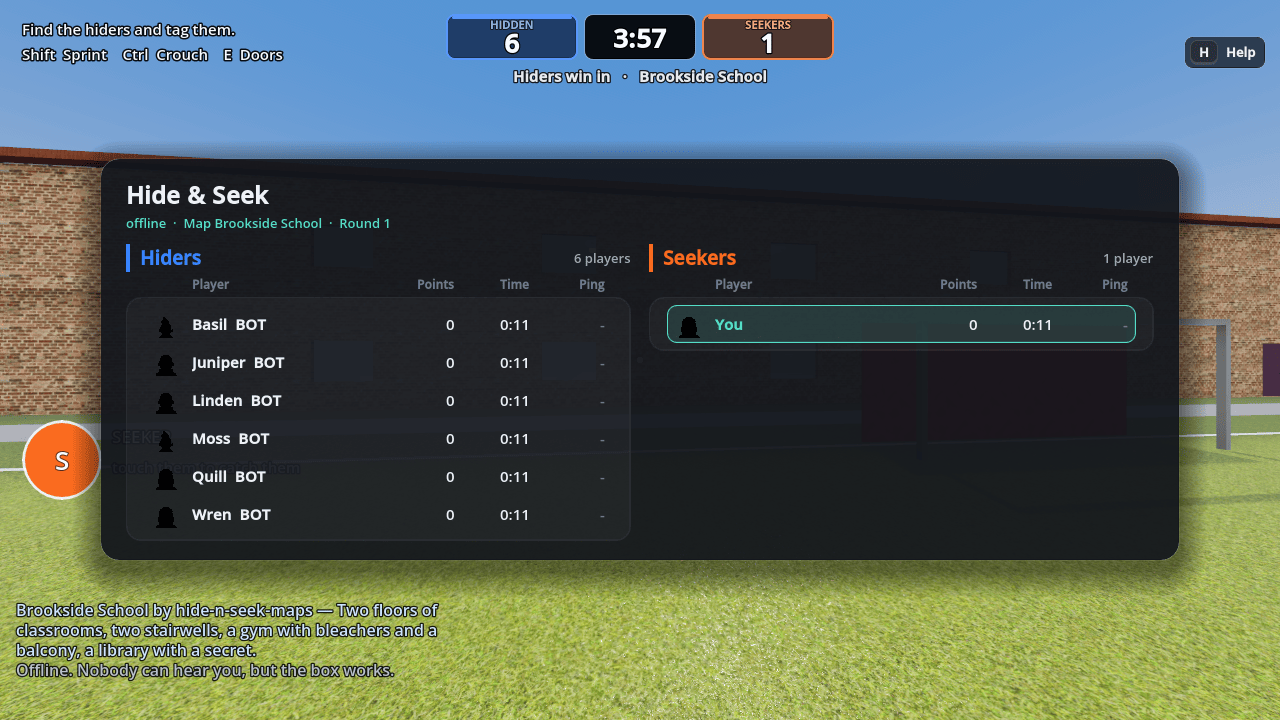 The Tab scoreboard, hiders and seekers side by side. |
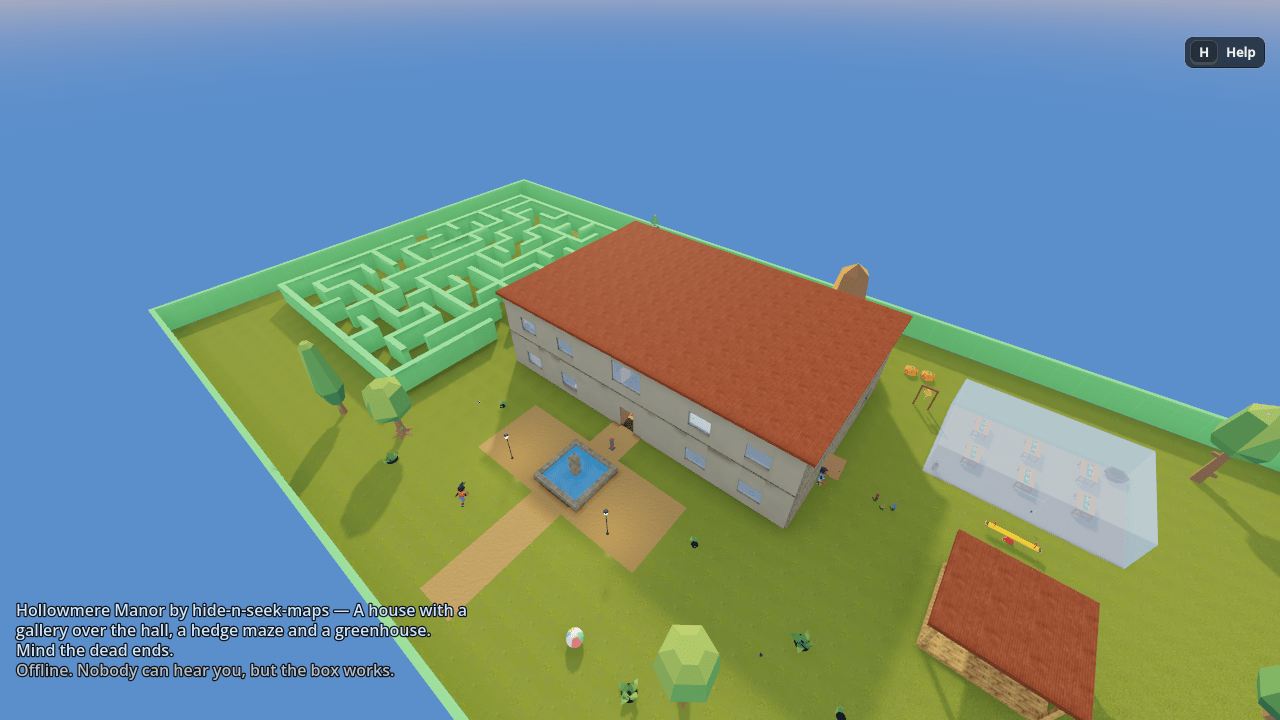 A map from above: Hollowmere Manor with its hedge maze and greenhouse. |
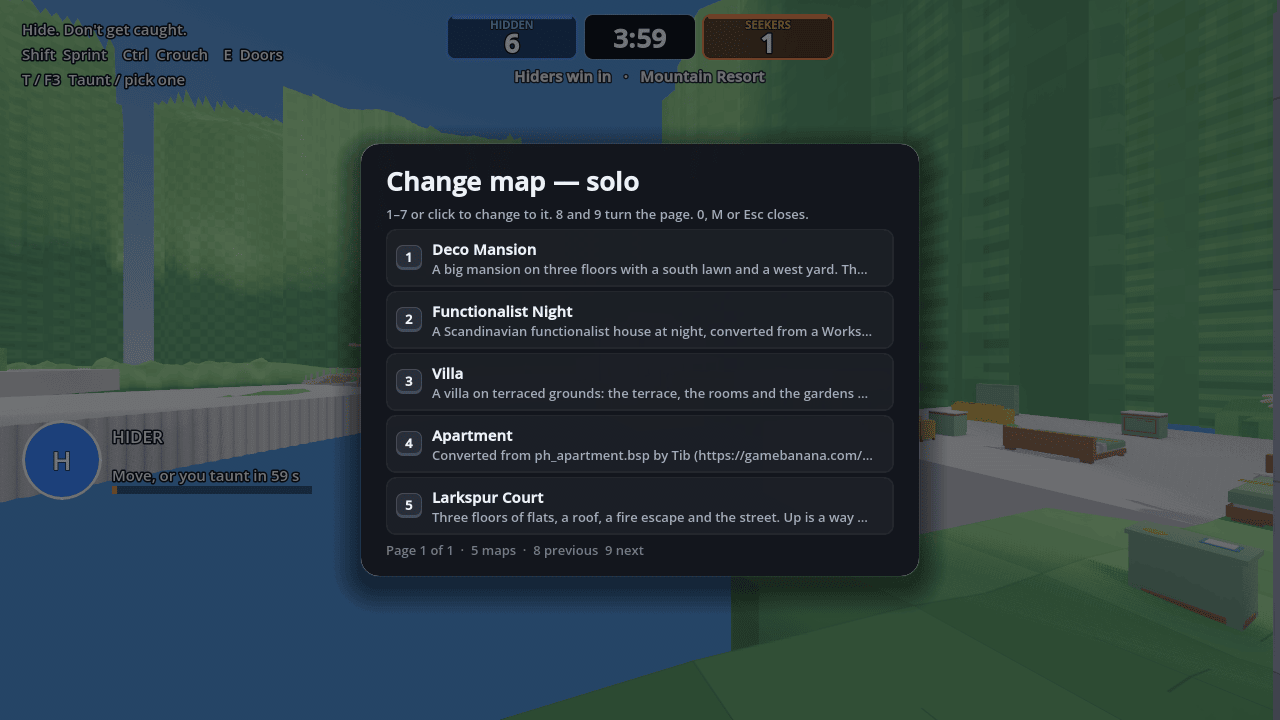 The in-game map list (M). |
How it plays
Each round starts with the hide. The hiders get 40 seconds by default to find a spot while the seekers stand at their spawn with a black screen (they still see their HUD and menus). Then the seekers are let go and have 4 minutes by default (both are settings, see below).
- Hiders run, hide, and win if any of them is still hidden when the clock runs out. Shift sprints and Ctrl crouches; many of the best spots are crawl spaces you only fit into crouched.
- Seekers run into a hider to tag them. A server can also make seekers catch by watching: keep a hider in view for a couple of seconds and they are caught, with a meter on the hider's screen. Or either way.
- Caught hiders become seekers where they stand, frozen for a few seconds first. A server can turn this off, and then the caught just watch.
- Taunts. Once the seekers are let go, a hider can press T to play a sound where they stand (or F3 to pick one). Taunts earn points but everybody hears where they came from. Stand still too long and the game taunts for you.
- The beacon. When one hider is left (by default), or optionally when time is nearly out, every hidden hider pings a sound and a ring everybody can see.
- Doors. E opens or shuts a door. A shut door is a wall to seekers too, so shutting yourself in is hiding and opening every door is seeking. Most maps also have a sliding wall panel.
- Toys. Every map has things to play with: balls to kick, swings, see-saws, roundabouts, trampolines, barrels, lamps, a fountain and more. Everybody sees them in the same place, and a ball you kicked rolling away from your hiding place is a clue. Toys reset at the start of each round.
- Falling off the map catches a hider. A seeker who falls goes back to the start.
Scoring defaults: winning is worth 10 points to everyone on that side, a catch 5 and surviving a round 5. Catches, rounds survived and the rest go to your stats and the GameSpice leaderboards.
Seekers are picked at the start: one for every 8 players by default, within a minimum and maximum you can set (hs_players_per_seeker, hs_min_seekers, hs_max_seekers). By default the first hider caught is next round's seeker. Say !seek or !hide in chat to ask for a side. Somebody who joins while the seekers are out joins them. After a few rounds on a map, players vote for the next one (!rtv, !nominate hs_manor).
Maps
There is a small practice house built in, plus the maps from hide-n-seek-maps:
| Map | What it is |
|---|---|
| Larkspur Court | Three floors of flats with a stairwell to the roof, a fire escape, an alley, a back yard, a corner shop and parked cars |
| Dockside Warehouse | Crawl-in racks, crate mazes, a mezzanine office and a container yard on the quay |
| Hollowmere Manor | A two-storey house with a gallery, a cupboard under the stairs, a hedge maze, greenhouse, gazebo and shed |
| Thistle Green | A village round a market square, a barn with a hayloft, a hall with a hollow stage, and a pond with a bridge |
| Brookside School | Two floors of classrooms and lockers, a cafeteria, a gym with bleachers, a portable classroom and a library with a hidden room |
| Galleria Mall | Two floors of shops round a glass-roofed atrium, shutters, a food court, supermarket, cinema and service corridors |
| The Marigold | A ship at her quay: engine room, cabins, saloons, a sun deck with lifeboats, and the bridge |
| Ravenhold Castle | Walls and corner towers over a moat, a gatehouse with a portcullis, a three-floor keep over a dungeon, and stables |
| Pinehollow Camp | A summer camp by a lake: cabins, tents, a mess hall, a fire lookout, a treehouse, a dock and a cave |
| Halden Museum | Galleries round a rotunda with a hung whale, a dinosaur, a pyramid, a painting maze, a rocket and a vault |
| Pinecrest Park | A playground with towers and play tubes, a picnic shelter, toilets, a tennis court, a pond and woods |
Controls
| Key | Action |
|---|---|
| WASD / mouse | Move and look |
| Shift | Sprint |
| Ctrl | Crouch |
| Alt | Walk quietly |
| Space | Jump |
| E | Open or shut a door; kick, push, spin or press the toy you are looking at |
| T / F3 | Taunt / pick a taunt (hiders) |
| V | Talk (voice) |
| F | Flashlight, either side (on at start where the map is dark) |
| F5 | First or third person |
| Tab (hold) | Scoreboard |
| H | Help: the goal, rules and your key bindings |
| Esc | Menu: settings (every key can be rebound), help, leave |
Getting started
You need Godot 4.7. The game is built from many GameSpice addons, each in its own repository. The easiest way to get everything is gs-bootstrap, which clones every project and links the addons in:
git clone https://github.com/gamespice-platform/bootstrap.git
cd gs-bootstrap
./bootstrap.sh
cd projects/game-hide-n-seek
./game.sh
On Windows, run bootstrap.ps1 and open the project in Godot.
The maps come from the hide-n-seek-maps checkout, which bootstrap links into maps/. On a deployed server the game ships only its practice map, and the server owner picks the maps pack (gamemann/hide-n-seek-maps, or their own) in gs-server-deploy's cfg/content.yml.
| Command | What it does |
|---|---|
./game.sh |
Play offline against bots (they hide when you seek, and seek when you hide) |
./game.sh online |
Start a local server and the browser client, and print the link |
./game.sh online down |
Stop them |
./game.sh server |
Start a local dedicated server only |
./game.sh test |
Check every script and run every test suite |
./game.sh shot |
Save a screenshot to screenshots/ (tools/shot.sh lists the views) |
./game.sh help |
All options |
online and server use gs-server-deploy, which bootstrap clones next to this project. Run its ./setup.sh once first.
Running a server
Every field of the game's configuration (game/hs_config.gd) is an hs_<field> cvar, a key in cfg/game/game-hide-n-seek/config/game.yml, and a setting in the workbench (F9 in a debug build). Set them in the server config, on the command line, or live from the console. Most take effect from the next round. All values below are defaults.
| Cvar | Default | What it does |
|---|---|---|
hs_hide_seconds |
40 | How long hiders have to hide (a map may ask for less) |
hs_round_seconds |
240 | How long seekers have to catch them (a map may ask for less) |
hs_timeout_winner |
1 | Who wins when the clock runs out: 0 nobody, 1 hiders, 2 seekers |
hs_catch_mode |
0 | How a hider is caught: 0 a touch, 1 being watched, 2 either |
hs_tag_range |
1.2 | Metres between two bodies that count as a touch |
hs_sight_seconds |
2 | Seconds in a seeker's view that catch a hider (catch mode 1 or 2) |
hs_sight_range |
25 | How far a seeker can see a hider from (catch mode 1 or 2) |
hs_sight_fov |
70 | Width of a seeker's view in degrees (catch mode 1 or 2) |
hs_caught_become_seekers |
1 | 1 a caught hider becomes a seeker, 0 they are out |
hs_caught_freeze_seconds |
3 | Seconds a newly caught hider is frozen before seeking |
hs_caught_seek_from |
0 | Where a caught hider starts seeking: 0 where caught, 1 the seekers' start |
hs_players_per_seeker |
8 | One seeker at the start for every this many players |
hs_min_seekers |
1 | Fewest seekers at the start |
hs_max_seekers |
3 | Most seekers at the start (raise it as high as you like) |
hs_seeker_pick |
3 | 0 random, 1 an equal share, 2 the sides swap, 3 the first caught |
hs_allow_side_choice |
1 | 1 means !seek and !hide count in the draw |
hs_doors_enabled |
1 | 1 means E opens and shuts doors; 0 leaves every door as the map has it |
hs_auto_taunt_seconds |
60 | A hider standing still this long is taunted for (0 never) |
hs_auto_taunt_radius |
1.5 | Metres a hider must move to count as moving |
hs_taunt_points |
2 | Points for a taunt a hider chose |
hs_forced_taunt_points |
0 | Points for one the game forced |
hs_beacon_hiders_left |
1 | Beacon every hider once this few are left (0 never) |
hs_beacon_seconds_left |
0 | Beacon every hider with this many seconds left (0 never) |
hs_beacon_every |
10 | Seconds between beacons (0 is the whole time) |
hs_beacon_reveal |
2 | Seconds each beacon shows them |
hs_rounds_per_map |
4 | Rounds on a map before the next one |
hs_vote_after |
20 | Seconds into a map's last round before the vote opens |
hs_autobhop |
0 | 1 means hold jump to keep hopping |
mp_forcecamera |
0 | Who somebody who is out may watch: 0 anybody, 1 their own side, 2 nobody (1 and 2 also switch off the free camera) |
mp_freeroam |
1 | 1 lets somebody who is out fly a free camera (G) |
mp_freeroam_speed |
12 | Free camera speed in metres a second |
mp_solidplayers |
0 | Players pass through each other unless 1; then mp_teamblock (0) and mp_enemyblock (1) decide who stops whom, and !block / !noblock ask per player |
bot_quota |
5 | Players a round is kept at with bots; each person who joins replaces one |
bot_quota_mode |
fill |
fill, fixed (that many bots), per_player or off |
Bot cvars are the family's shared ones: gs-bot's bot_difficulty (easy, medium, hard, nightmare) and its bot_* settings (bot_settings lists them). The same names work at the solo console, and ./game.sh -- --bot_difficulty hard sets it at launch. hs_min_players and hs_spectate_camera still work but are deprecated (they set bot_quota and mp_forcecamera).
The map's toys follow sv_toys (0 removes them), sv_toys_awake (how many may simulate at once; 0 picks a default by machine) and sv_toys_push (how hard walking into one sends it).
Somebody slain by an administrator, or killed by a fall, drops as a ragdoll (gs-player-char). sv_ragdoll 0 makes it a quick fall; sv_ragdoll_style picks ragdoll, stiff, topple or hide; sv_ragdoll_time and sv_ragdoll_max say how long and how many; sv_ragdoll_reactions weights the falls.
A map document has no size limit. A map larger than one message (60,000 bytes deflated) is sent in pieces, so a browser client gets it too. A server can still set limits with --hs-max-map-boxes, -props, -lights, -spawns, -doors and -toys (default 0, no limit). A document over a limit is refused with its count, never cut down. --hs-map-lights-warn (default 128, 0 for none) logs a warning past that many lights; the cost of a light stays the map author's choice.
--hs-map-ids=<ids> limits a server to some maps. Any other setting in game/hs_config.gd can be given the same way (--hs-sprint-scale=1.5, --hs-taunt-range=80). Taunts are listed in taunts/taunts.json; edit it to add your own sounds. The vote's settings go in user://cfg/hideseek_vote.json ({"enabled": false} turns it off); gs-vote's README lists them.
Console commands
| Command | What it does |
|---|---|
hs_status |
The round, the map, and who has been caught |
hs_maps |
The maps the server has, and any it refused (with the reason) |
hs_map <id> |
Play this map next |
hs_catch <userid> |
Catch a hider now |
hs_taunts |
List the taunts |
hs_reload |
Read the map folder again, for the next map |
hs_net |
What the network code is doing |
Admin commands
These come from gs-moderation: noclip, freeze, speed, gravity, god, buddha, hp, slay, slap, rename, the teleports, blind and beacon. respawn puts somebody back at their side's spawn. give and strip are turned off because nobody carries anything.
Writing a map
A map is a JSON file: the building as boxes, the furniture as props, the doors, the lights, and where each side starts. The existing maps are in hide-n-seek-maps, whose tools/build_maps.py writes them. docs/design.md has the design notes. The server sends the map to each player on a map change, so players do not need the map files.
Testing
./game.sh test                      # every script parses, then every suite runs
./game.sh test headless_climb       # one suite
| Suite | What it covers |
|---|---|
headless_run |
The game itself: draw, hide, tagging, being watched, taunts, falls, beacon, doors, toys, ragdolls, bots |
headless_maps |
Every map: encodes for the wire, no hard document limit, clear spawns, props stand on something, doors swing clear, toys stay put |
headless_climb |
Standing on a branch, seeing under a table, climbing stairways, crawling through a play tube |
headless_bots |
Bots play whole rounds against each other |
headless_net |
A server and a client in one process: blindfold, door, catch, sight meter, taunts, toys |
dedicated |
A real server: boots, loads the game, runs its commands, a round of bots, the map vote |
CLAUDE.md has the design decisions and the reasoning behind them.
Known gaps
- Seekers carry nothing; special seeker items are planned.
- Bots do not plan routes to cut somebody off, and never shut a door behind them.
- There is no stamina: sprinting is a flat speed boost.
- The round sounds (not the taunts) are made in code and are placeholders.
Credits
| Asset | Author / source | License | Where |
|---|---|---|---|
| Godot Engine logo (boot splash) | Andrea Calabró, godotengine.org | CC BY 4.0 | branding/splash.png |
| Furniture | Kenney, Furniture Kit (most-used pieces, rebuilt by art-src/build_props.py) |
CC0 | assets/props/furniture/CREDITS.md |
| Trees, bushes, stones, logs, melon and pumpkin patches | Kenney, Nature Kit, rebuilt the same way; colours toned down at load | CC0 | assets/props/nature/CREDITS.md |
| The two climbing trees | Made for this game in the Nature Kit's style by tools/climb_trees.py |
CC0 | tools/ |
| Players | Quaternius, Zombie Apocalypse Kit, skins chosen from the blocky kit | CC0 1.0 | gs-player-char |
| Taunts | Kenney, Voiceover Pack and Music Jingles (kenney.nl) | CC0 | taunts/ |
| Floors, walls, roofs | Kenney, Prototype Textures under a pastel | CC0 | each kit's licence is next to its files |
| Glass, boards, lockers, lines | Drawn in code | none | in code |
| Footsteps | Kenney, Impact Sounds | CC0 | gs-audio, addons/gs_audio/stock/CREDITS.md |
| Ambience beds | Generated by gs-audio | none (synthesized) | gs-audio |
| Toys | gs-props, drawn in code; sounds from Kenney (Impact, Interface, Foley, Digital Audio) plus a horn made for it | CC0 | addons/gs_props/toys/sounds/CREDITS.md |
| Death sounds | Kenney, via gs-player-char | CC0 | gs-player-char |
License
MIT. See LICENSE. The Kenney art is CC0, which is public domain.
互动趋势
Hide N Seek 是一个 Hide N Seek 资源。它拥有 0 次下载、25 次浏览和 0 次收藏。 此条目属于 4 个标签。
评价
登录后即可发表评价。
评论 (0)
登录后即可评论。